Mackup Mod - Stellar Blade Mods
Dark Mode Light Mode

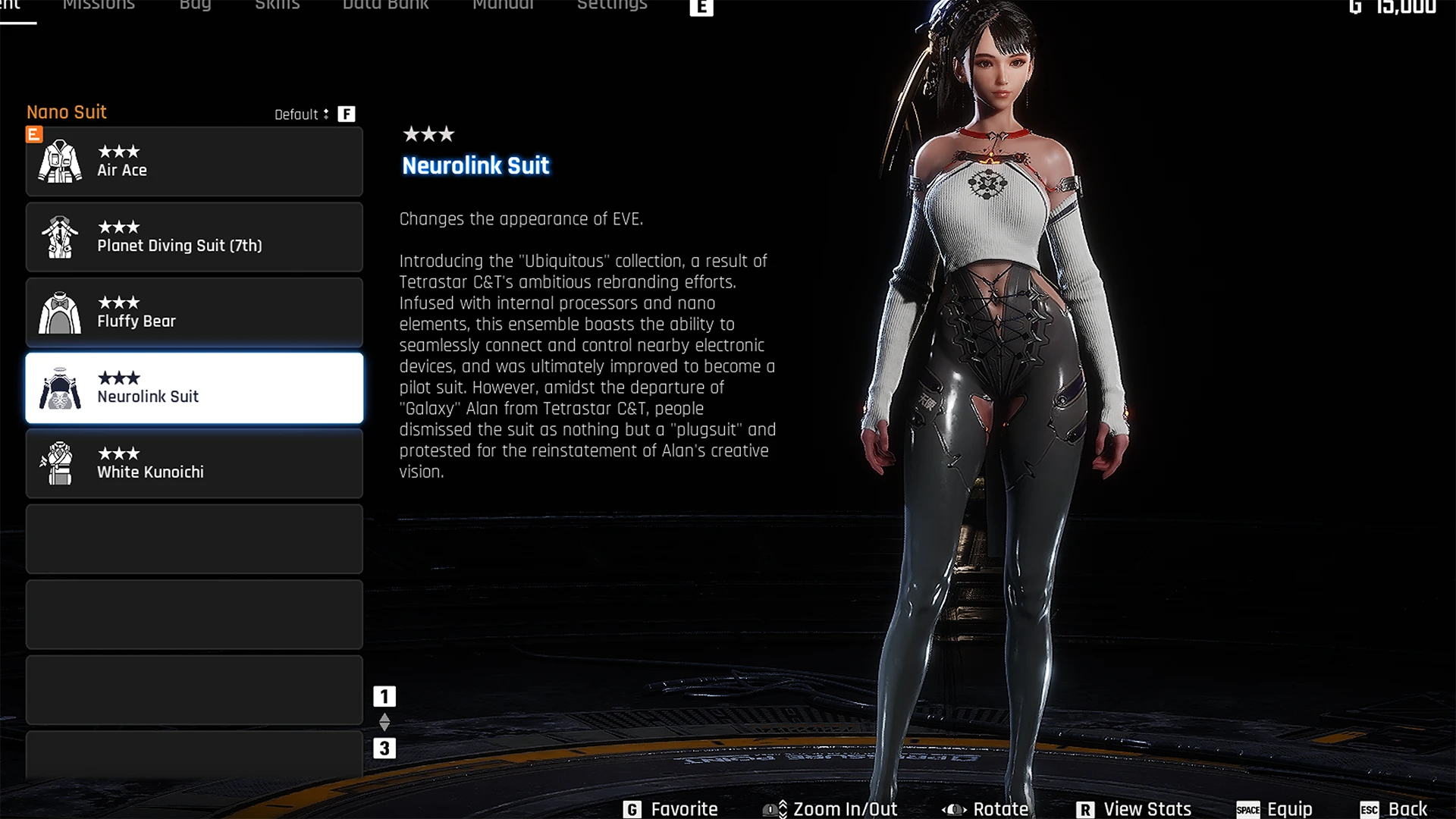
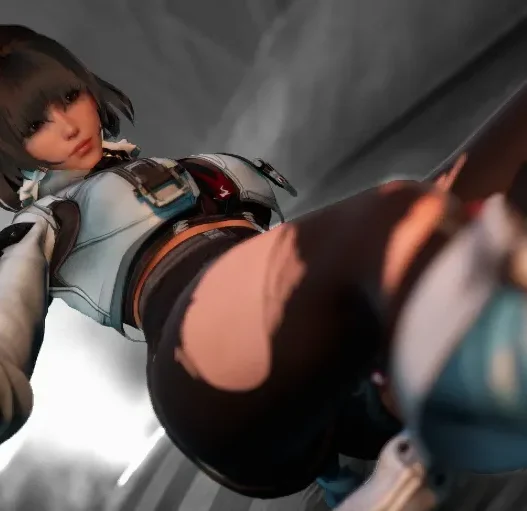
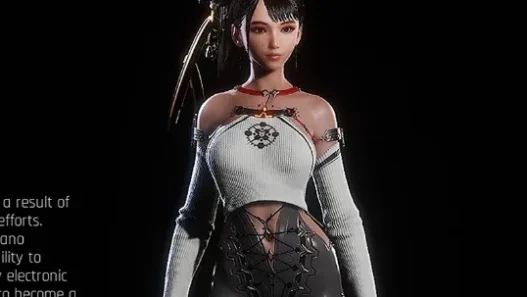
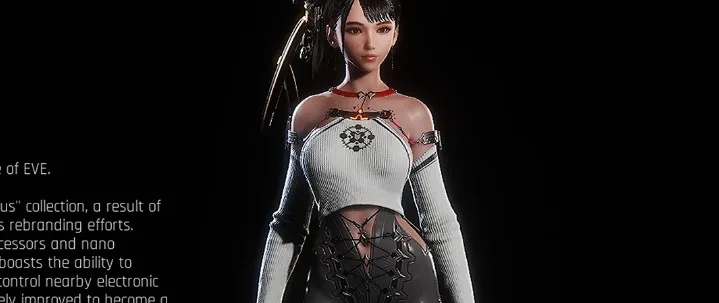
EVE Nurolink Grey Pants P Outfit

How to install grey pants texture mod for EVE’s Nurolink outfit in Stellar Blade. Quick texture swap from red to grey.
How to install grey pants texture mod for EVE's Nurolink outfit in Stellar Blade. Quick texture swap from red to grey. How to install grey pants texture mod for EVE's Nurolink outfit in Stellar Blade. Quick texture swap from red to grey.

This mod swaps the red pants of EVE’s Nurolink outfit with a clean grey texture. No mesh edits — just a simple texture flip.

Features:

  • High-quality grey pants retexture
  • Retains original Nurolink top
  • Clean, subtle fashion tweak
How to install grey pants texture mod for EVE's Nurolink outfit in Stellar Blade. Quick texture swap from red to grey.

Installation:

  1. Extract the mod files.
  2. Go to:
    \Steam\steamapps\common\StellarBladeDemo\SB\Content\Paks\~mods
  3. If ~mods doesn’t exist, create it.
  4. Drop the extracted files into the folder.
  5. Launch the game and enjoy the new look.

Credits: NightModder

If the above button is not working, download v1 here:

EVE Nurolink Grey PantsDownload
Add a comment Add a comment

Leave a Reply

Your email address will not be published. Required fields are marked *